
STEP 01
Read the demand signal
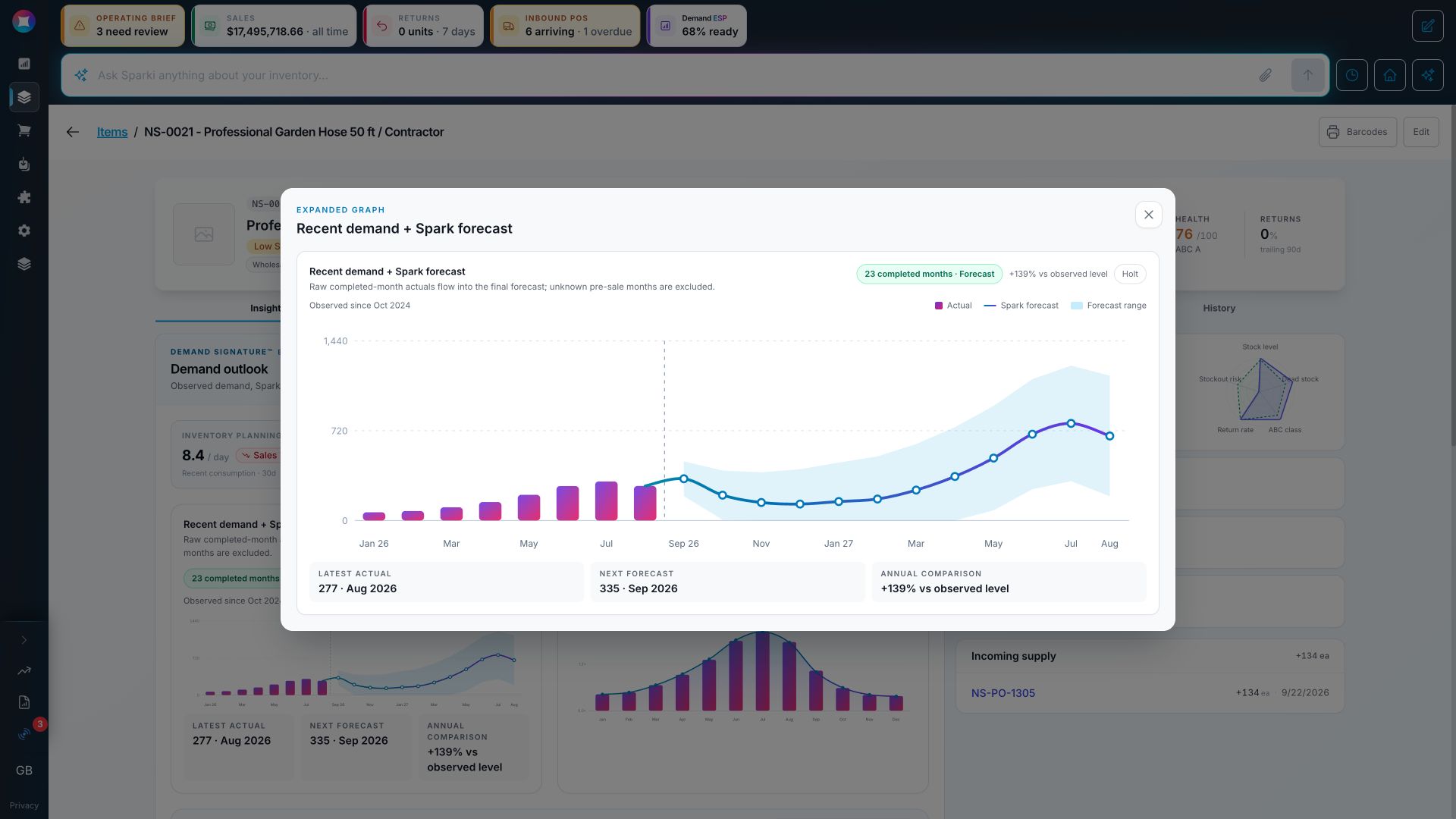
Keep completed sales visible beside the forecast range, then inspect the item's seasonal pattern instead of relying on one monthly average.
Follow a complete Spark planning decision through demand history, forecast, seasonality, stock, incoming supply, purchasing constraints, recommendation, and human reviewed action.
Spark demo workspace • Example data
A reorder recommendation should be more than a number. It should show you what demand is doing, what you already have, what is on the way, and what your team should review next.
This is a Spark demo workspace using example data. We will follow one item from sales history through the planning decision, then show the approval step with a second captured recommendation.
Start with the item itself. Spark brings the current stock, incoming supply, days of cover, planning rate, stock health, recent sales, and the current recommendation into the same view.
The demand view separates what happened from what Spark expects next. Completed months remain visible as actuals. The forecast continues forward with a range, so the team can see both the expected level and the uncertainty around it.
Seasonality matters too. This item has a clear annual shape, with demand rising into the middle of the year and falling afterward. Demand ESP reads that pattern for the item instead of forcing every product into the same monthly average.
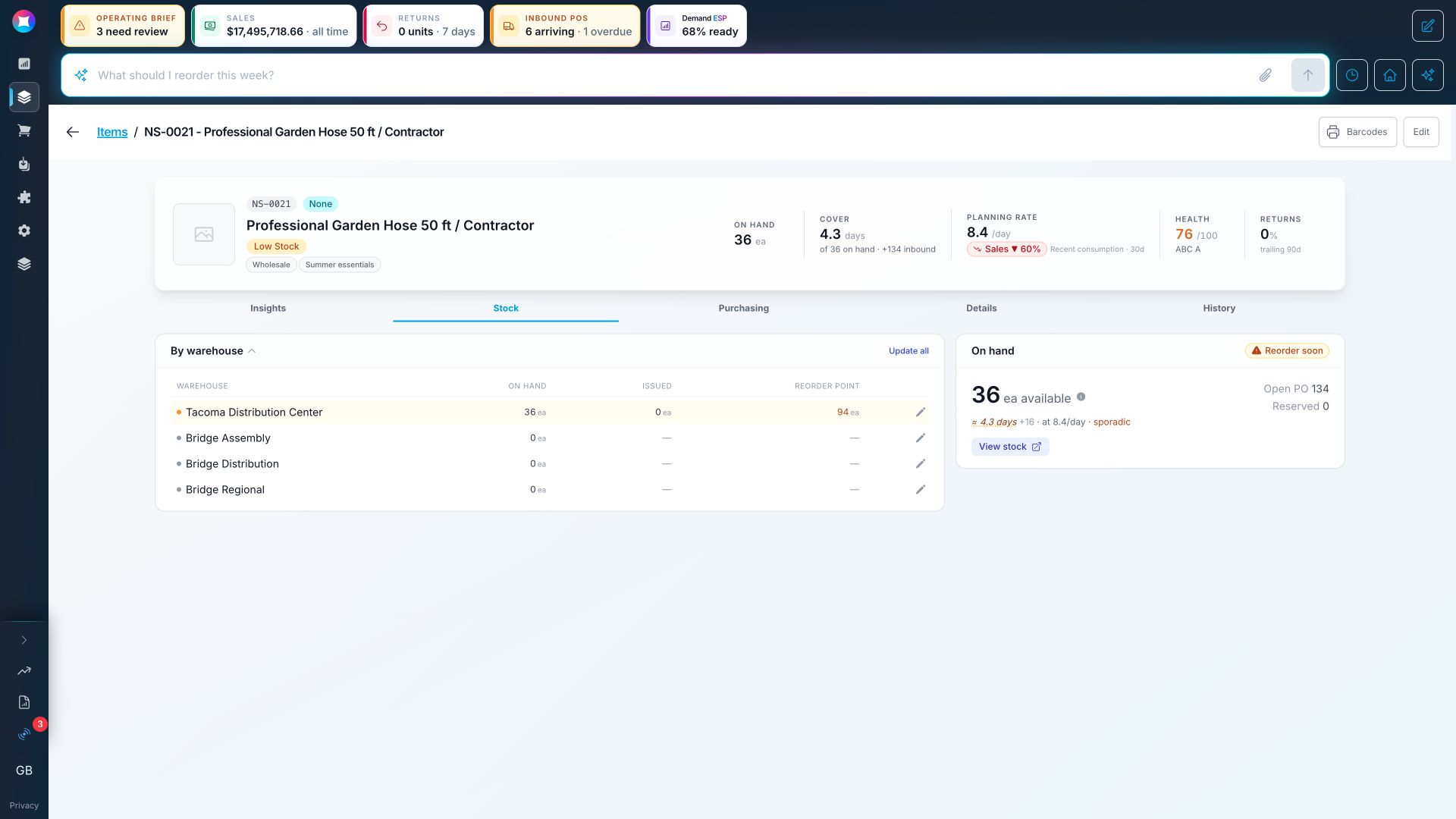
Now check the operational context. The warehouse view shows current stock, the reorder point, incoming supply, and the planning rate. Timing still matters, even when another order is already on the way.
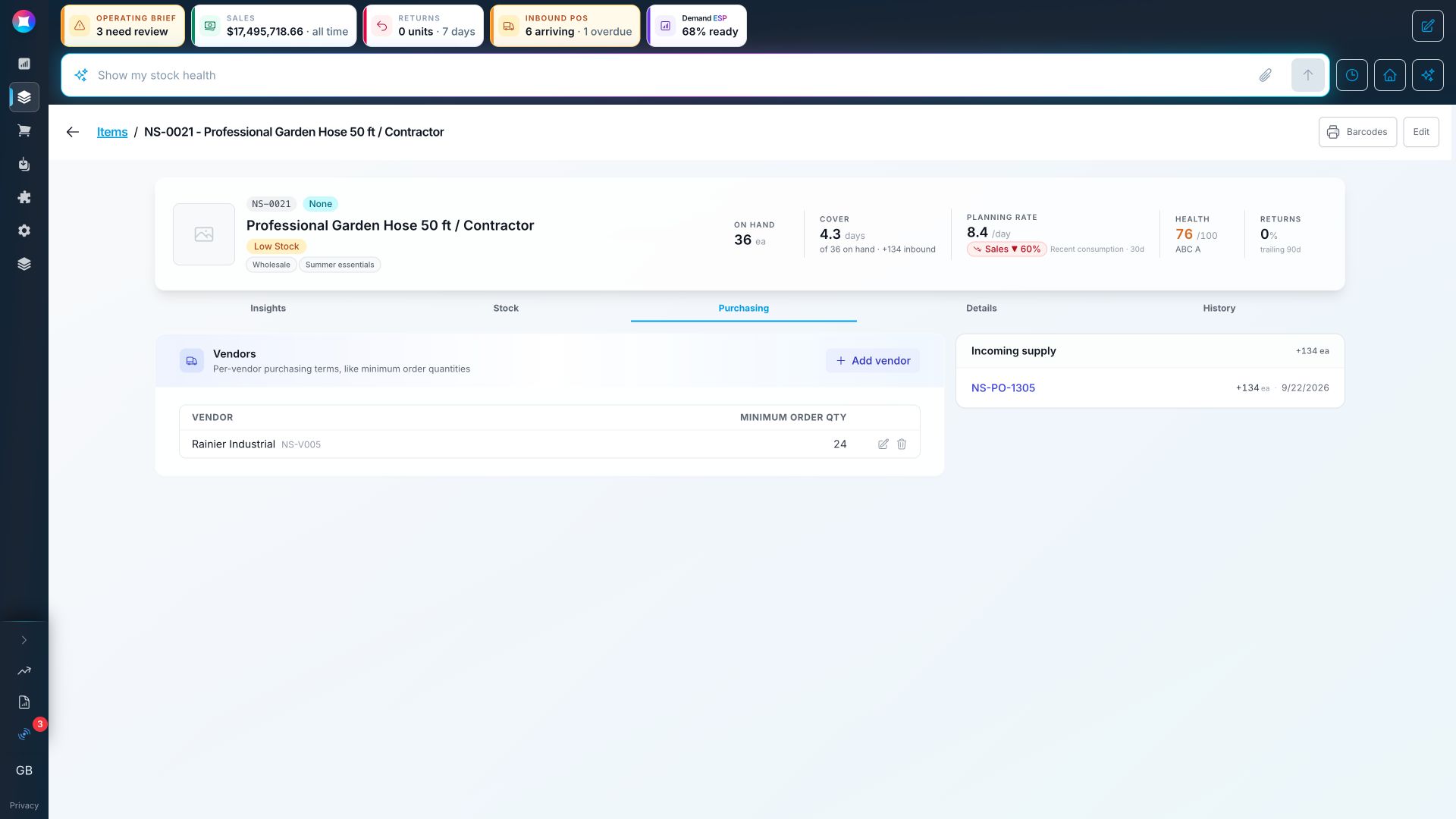
The purchasing tab adds the vendor, minimum order quantity, cost, lead time, and incoming delivery date. That keeps the recommendation grounded in how the item can actually be replenished, instead of treating the forecast as an isolated chart.
Spark brings those signals together into a recommendation your team can inspect. The goal is to make the demand, stock, supply, and constraints visible before anyone commits cash to another order.
The existing purchase order stays part of the decision. The inbound quantity, expected delivery, supplier, line items, and total are all available for review. That context helps prevent a duplicate order made from an incomplete stock count.
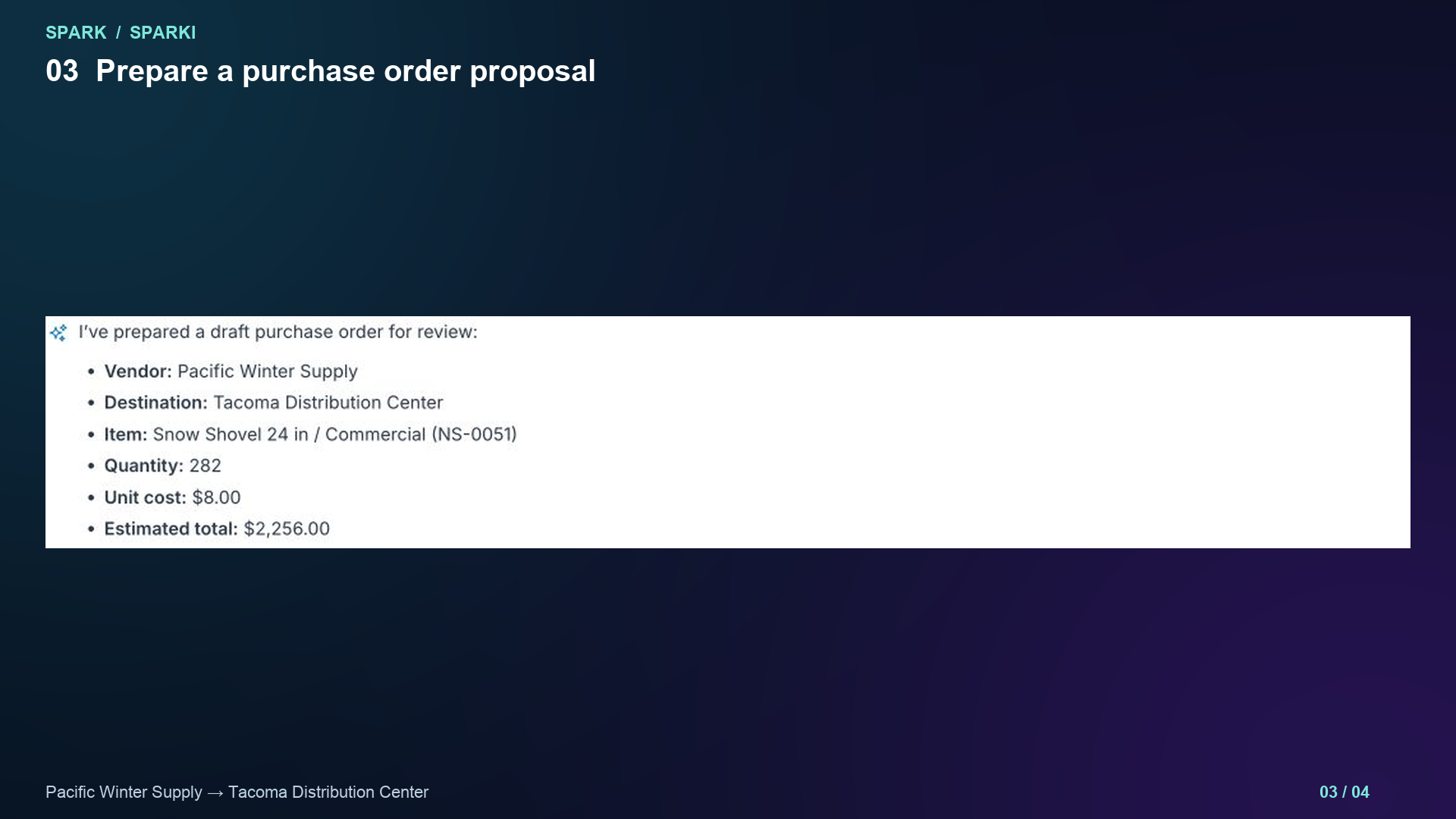
To show the approval step, here is a second captured demo recommendation. Sparki found an item needing replenishment, prepared a purchase order proposal, and showed the vendor, destination, quantity, unit cost, and estimated total before creating anything.
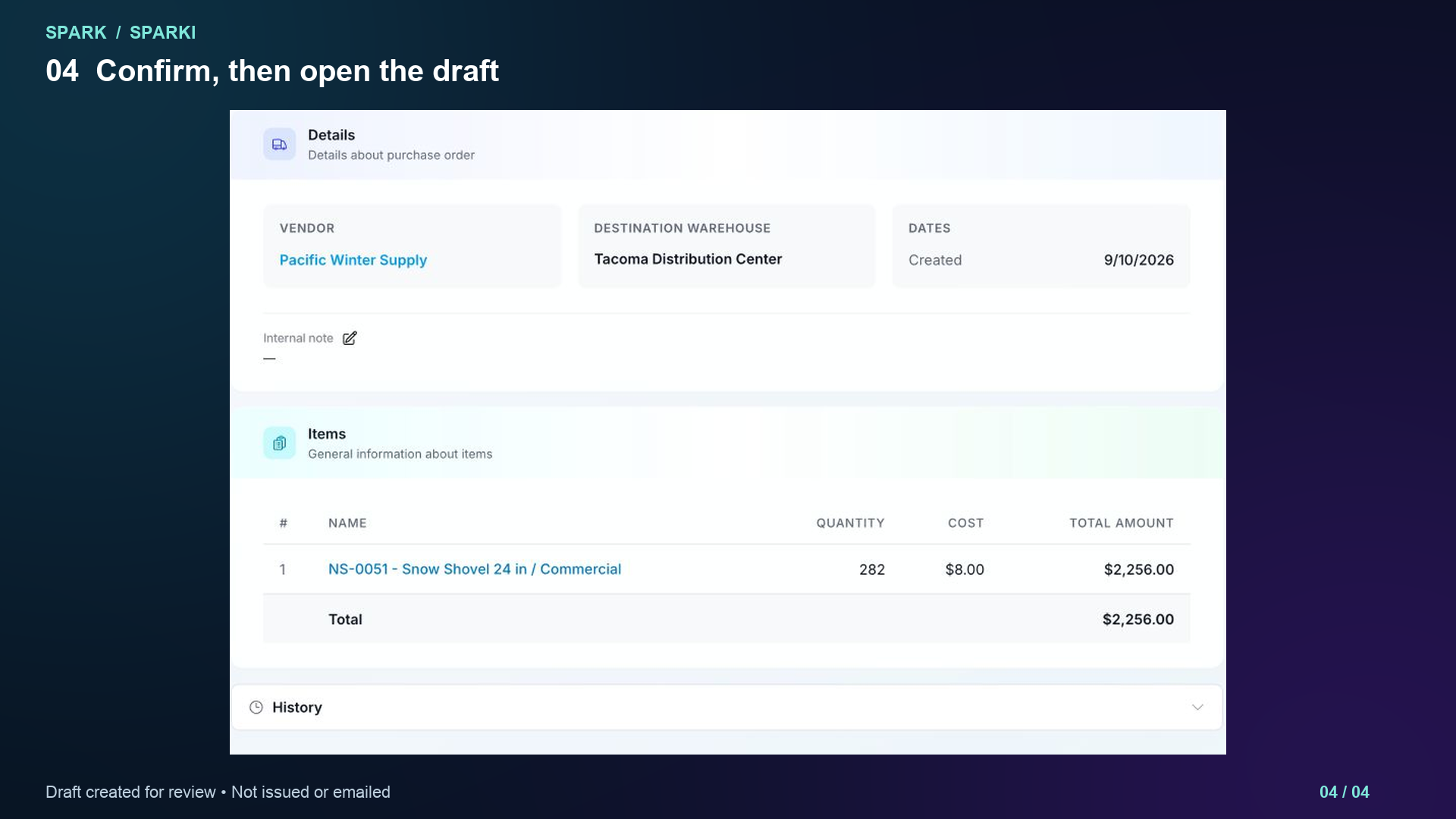
After review, the user selected Create PO. Spark created a draft purchase order with the item and supplier details already filled in. The draft remained under team control. It was not issued or emailed to the vendor.
The same workflow can begin in Sparki or through Spark's MCP connector. Ask what needs attention, inspect the evidence, and prepare a draft for review. Forecasting is available free, while purchase order workflows are part of Spark's operating plans. See the full walkthrough at sparkinventory.com.
The full decision trace
The screenshots below come from the same demo workflow shown in the video. Values are examples, and the actions remain reviewable before they affect operations.
STEP 01
Keep completed sales visible beside the forecast range, then inspect the item's seasonal pattern instead of relying on one monthly average.
STEP 02
Review on hand, reorder point, days of cover, planning rate, and open supply together. An incoming order only helps if its timing matches the demand risk.
STEP 03
Bring the supplier, minimum order quantity, cost, lead time, and delivery date into the same decision before preparing another order.
STEP 04
Ask what needs attention, inspect the recommendation, and prepare a draft through Sparki in the app or through Spark MCP in a connected assistant.
STEP 05
The approved action becomes a populated draft purchase order. Your team still controls when the order is issued or sent to the supplier.
Choose your interface
Work with Sparki inside Spark, or connect an approved assistant through MCP. In either interface, the flow is ask, inspect, prepare, and review.
Explore Sparki and MCPStart at the right level
Free covers one user with monthly forecasting in Spark Inventory. Purchasing and operational workflows are available when your team is ready to act on the plan.
Compare plansStart free, or book a working session to see your purchasing workflow mapped in Spark Inventory.