
Scan-First Receiving
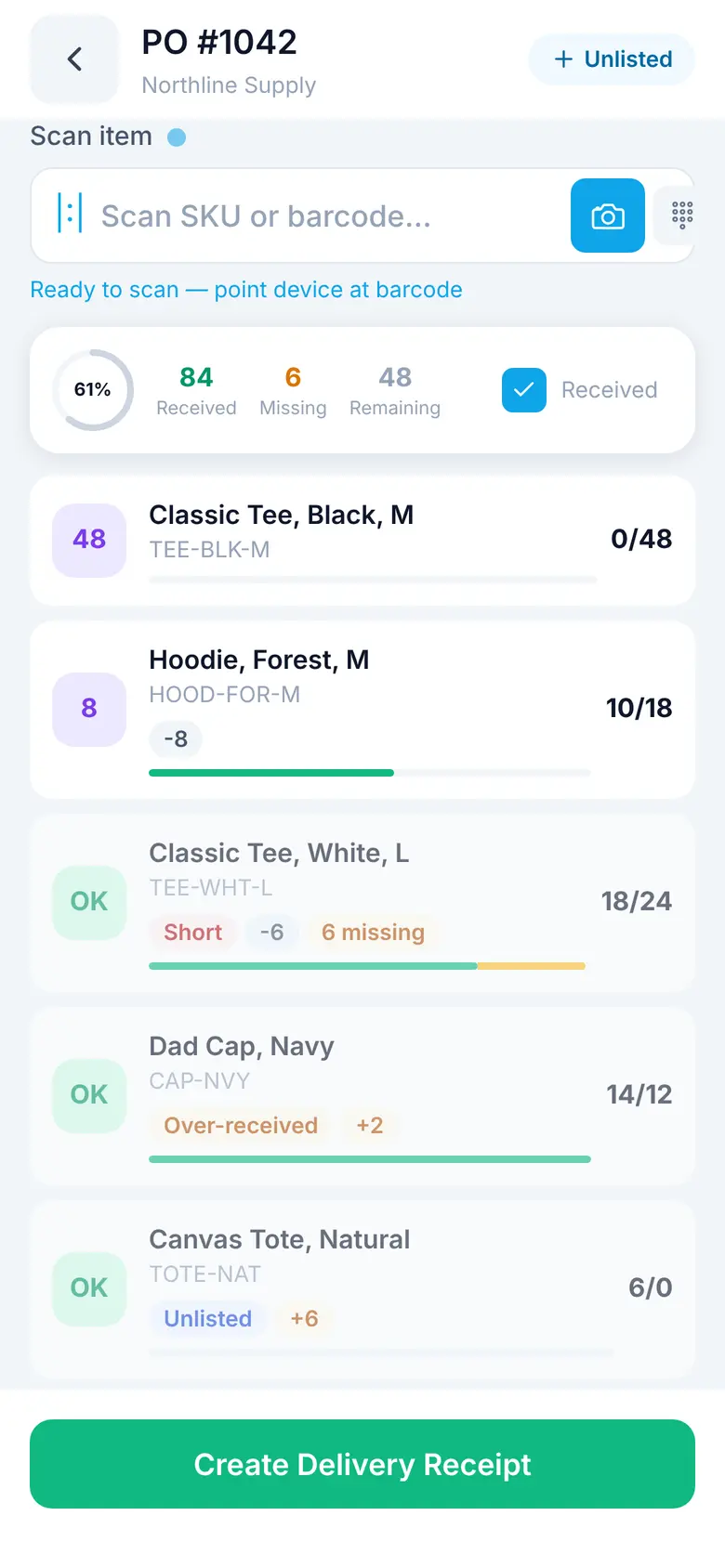
Open a purchase order, scan what arrived, and put it away to a bin. Short, over, and unlisted items are flagged on the line as you go.
Receive, pick, pack, ship, count, and move stock with a scanner in hand. Every scan updates the same inventory your plan and purchase orders run on.
Onboard with Sparki in app or your own AI assistant over MCP.
In the app
On the floor
Every step updates the same stock and plan your team sees on the web.
Scan the delivery against its purchase order. Shorts, overs, and unlisted items are flagged on the line.
Scan or pick the bin. Stock is live in that location the moment it lands.
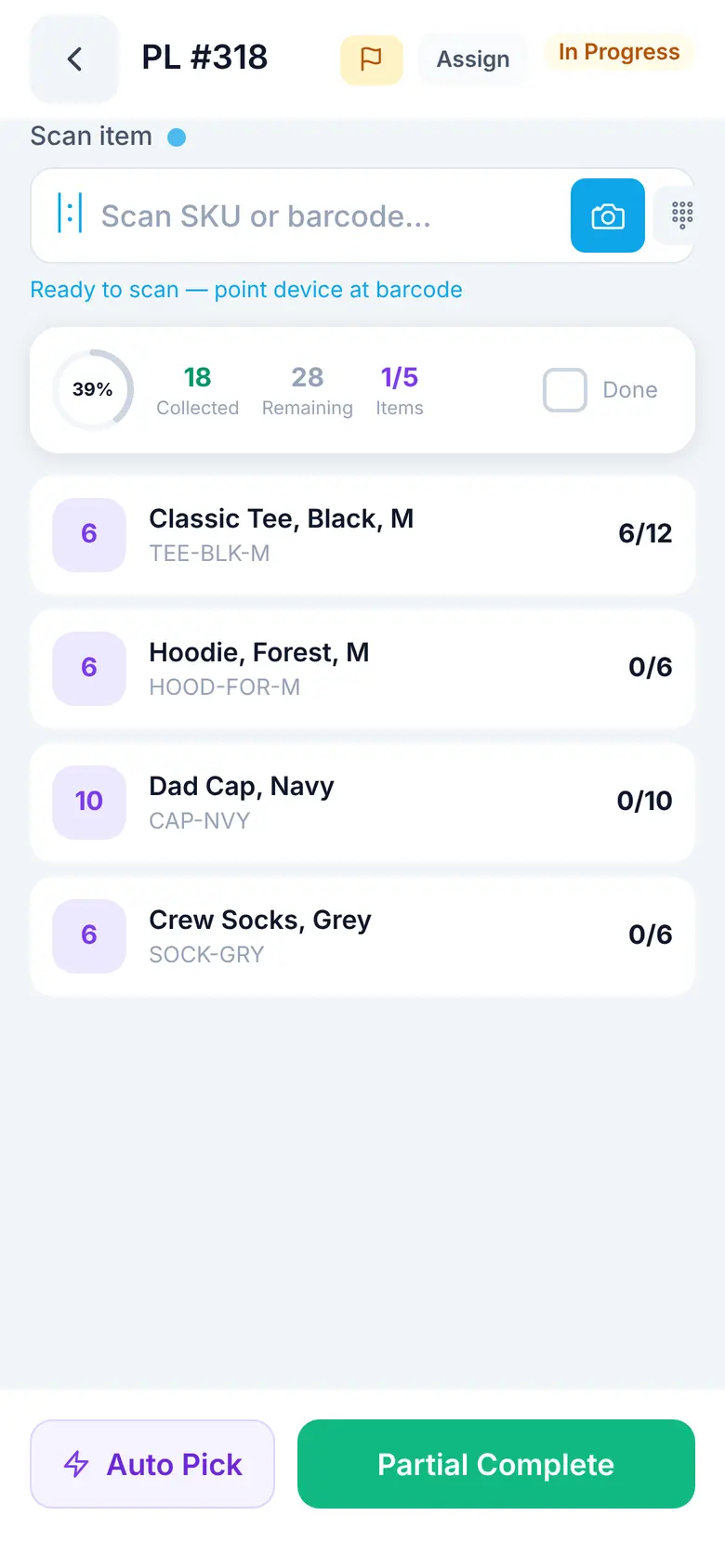
Work the pick list by location, or let Auto Pick fill lines by earliest expiry.
Scan each item into its package. Spark checks the UPC against the order.
Finish packing and ship out. The order, the stock, and the plan all update together.
Phone camera. UPC, EAN, Code 128, QR, DataMatrix, and more.
Rugged handhelds. Zebra and Sunmi devices in keyboard mode.
Docked iPad. Run the Pickup Monitor at the counter, in landscape.
Complete capability
Built into the same system that tracks stock, orders, purchasing, warehouses, and the decisions between them.
Open a purchase order, scan what arrived, and put it away to a bin. Short, over, and unlisted items are flagged on the line as you go.
Scan a barcode the purchase order does not list and Spark looks it up, so the clerk can receive it without leaving the dock.
Assign a picker, scan by location, or let Auto Pick fill open lines by earliest expiry first. Finish partially when stock runs short.
Scan each item into its package with UPC verification, then finish packing and ship out from the same screen.
Move stock between bins or set on-hand counts by location. Lot, expiry, and serial details are captured for tracked items.
Create and receive transfer orders with actual quantities, and log customer returns into the right warehouse.
Use the phone camera or keyboard-mode hardware scanners such as Zebra and Sunmi devices, with haptic and sound cues on every scan.
Look up any item to see stock by bin and lot, days of supply, its health score, and incoming purchase orders.
Review reorder alerts, adjust quantities per warehouse, and generate purchase orders from your phone.
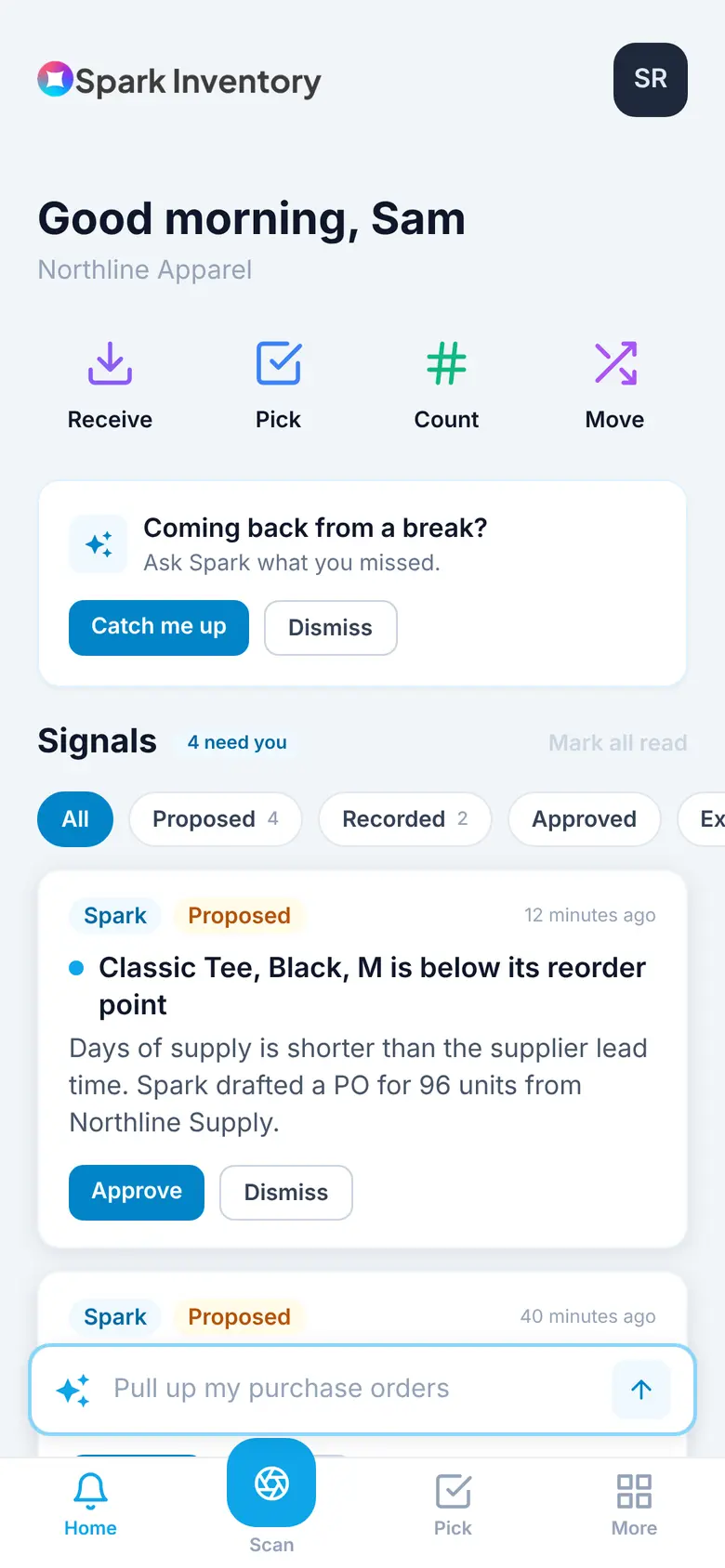
Approve or dismiss proposed actions from the Signal feed, and ask Sparki questions in plain language from any screen.
Run in-store pickup from a live board with customer text threads, ready notifications, and pick tickets that print automatically.
Shoppers choose a pickup store and time in your Shopify store, and those orders land on the Pickup Monitor ready to work.
See warehouses and bins in a 3D layout and tap into what each location holds.
From signal to action
Use Sparki in app or your own AI assistant over MCP to inspect what exists and bring in the data your team already trusts.
Spark Inventory turns sales, stock, and lead times into a clear next action with the reasoning attached.
Review, adjust, and approve in one place. Your team keeps control without rebuilding the analysis every week.
Mobile app questions
How the app works on the floor, with your scanners, and at the pickup counter.
Yes. Spark Inventory Mobile runs on iPhone, iPad, and Android. Your team can receive, put away, pick, pack, ship, count, move, and adjust stock from the floor, and every scan updates the same inventory your plan and purchase orders use.
You can scan with the phone camera, which reads UPC, EAN, Code 128, QR, DataMatrix, and more. Rugged handhelds such as Zebra and Sunmi devices work in keyboard mode.
Yes. Open the purchase order, scan what arrived, and put it away to a bin. Short, over-received, and unlisted lines are flagged as you go, and a barcode the PO does not list can be received without leaving the dock.
Yes. Pickers work the pick list by scan or let Auto Pick fill the open lines, then scan each item into its package with UPC verification and ship out from the same flow.
Yes. The Pickup Monitor runs on a docked iPad with a live board of pickup orders, customer text threads, ready notifications, and printable pick tickets.
Upload the data you already have and turn it into the next decisions your team needs to make.